I spend a lot of my time switching between folders in Windows explorer and the Windows 7 explorer has been driving me nuts lately.
Win7 (or at least the build I have) by default does not auto expand the tree view when you navigate between folders.
The result being you don’t see the usually tree hierarchy on the left pane. Which makes it quite painful if you want to go up a few levels or see the other parent folders.
The result being you don’t see the usually tree hierarchy on the left pane. Which makes it quite painful if you want to go up a few levels or see the other parent folders.
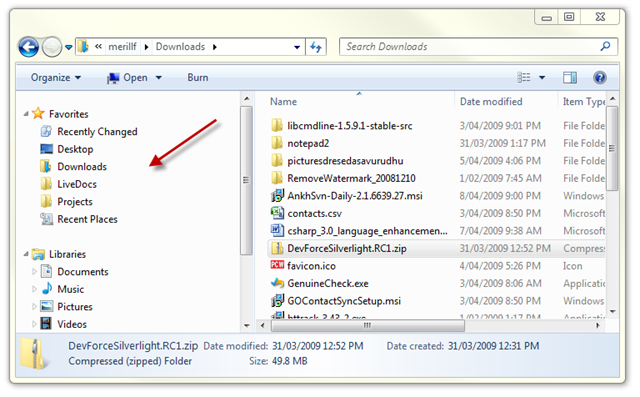
Luckily there is a new Folder Option called Navigation Pane to switch them back on again. You need to press Alt + T or Organize –> Folder Search Options in Windows Explorer to get to the dialog.
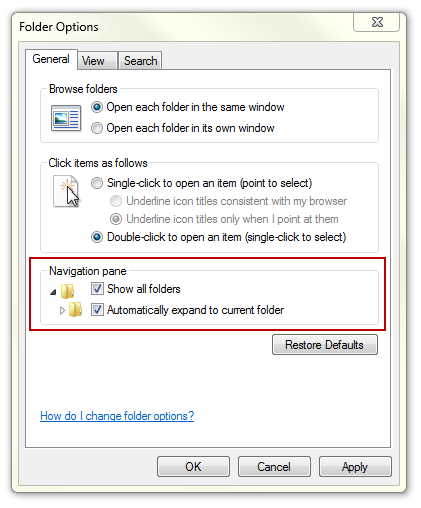
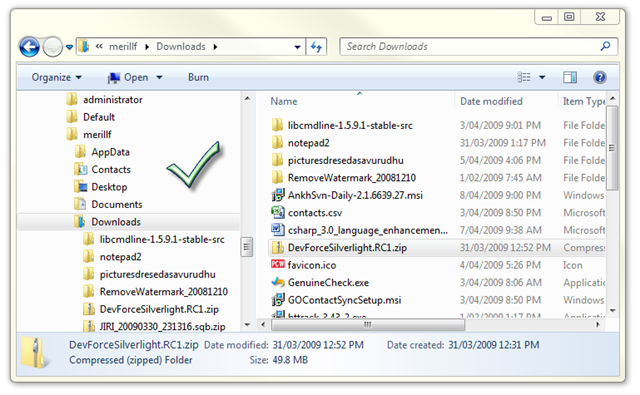
Switch both of them on and viola I get my beloved tree view back.
Source : Here

Tidak ada komentar:
Posting Komentar